Everything between “we need this” and “the supplier is paid.”
Tefflow covers the whole purchase cycle in one place, so the request, the approvals, the PO, the delivery, the bill and the payment all sit on one record.
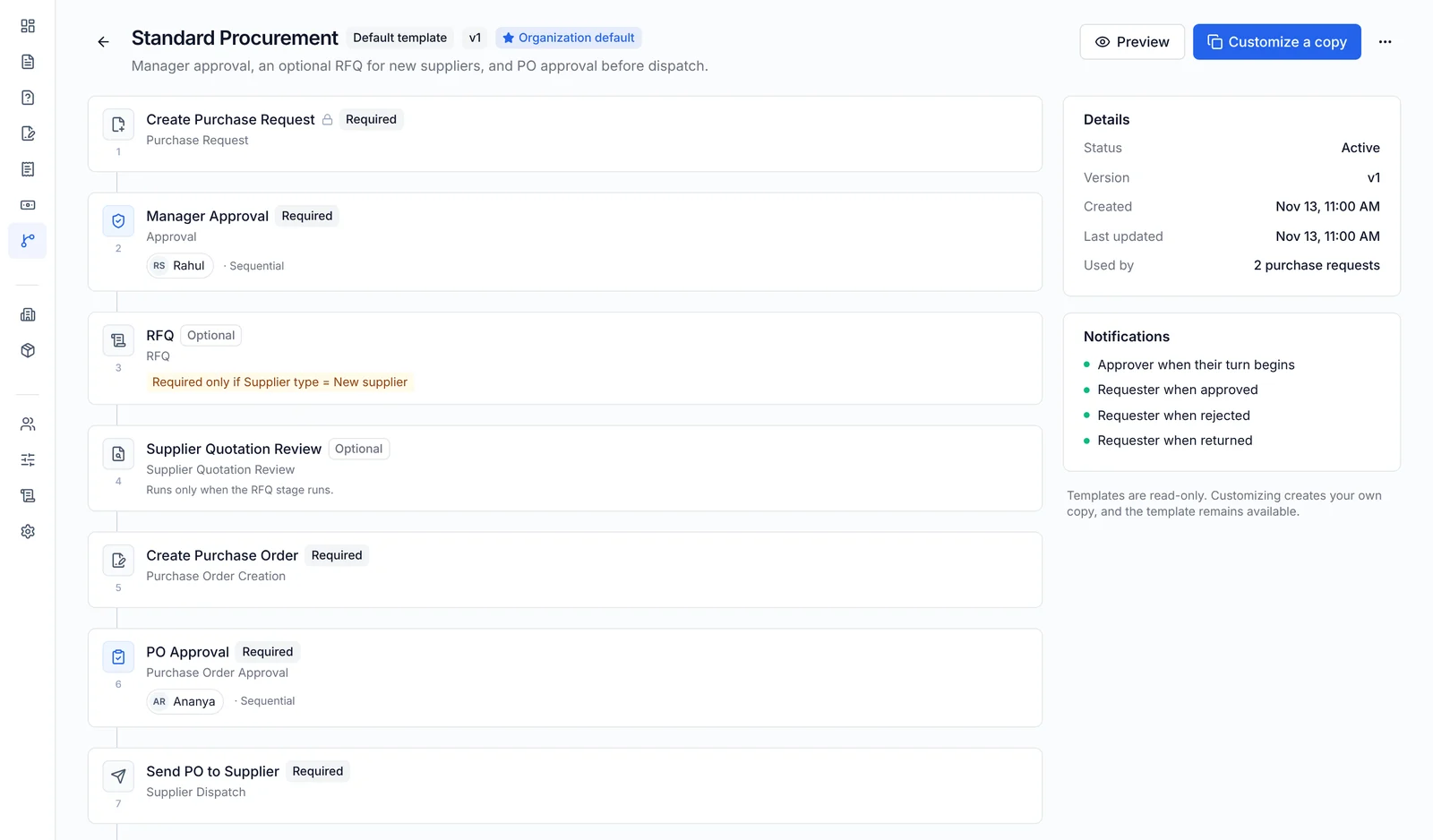
Draw your approval process once
Admins build workflows in a visual builder from stages such as approval, RFQ, quotation review, PO approval, goods receipt and invoice check.
- Sequential, parallel or any-one approvals
- Stages switched on by amount, category, department or supplier type
- Every saved change is a new version; requests already in progress stay on the version they started with
- Preview how a sample request would route before you publish
- Approvers are told by email and in the app when it’s their turn
POs that add up, every time
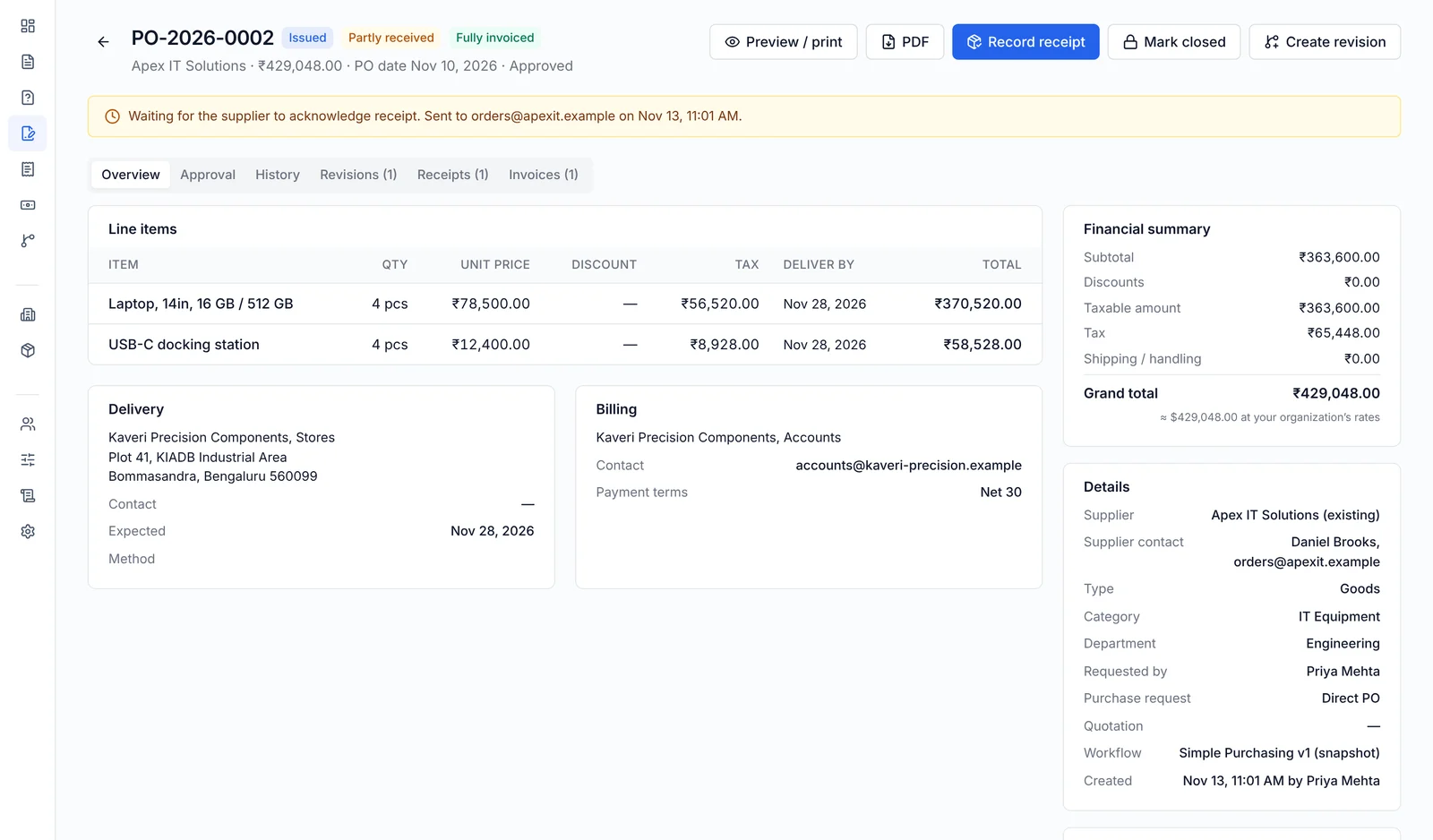
Buyers raise goods or services POs from scratch, from an approved request or from an awarded quote. The server calculates every total, so the form, the PO page and the PDF always agree.
- Line items, tax codes, discounts, shipping and payment terms
- Spend limits per role or person, with escalation above the limit
- Escalation policies that move an approval on when it waits too long
- Issued to the supplier by email with a branded PDF; revisions are kept, never overwritten
- Suppliers acknowledge with one click, no sign-in needed
- Supplier records with tax IDs, contacts, payment terms and bank details only the right people can see
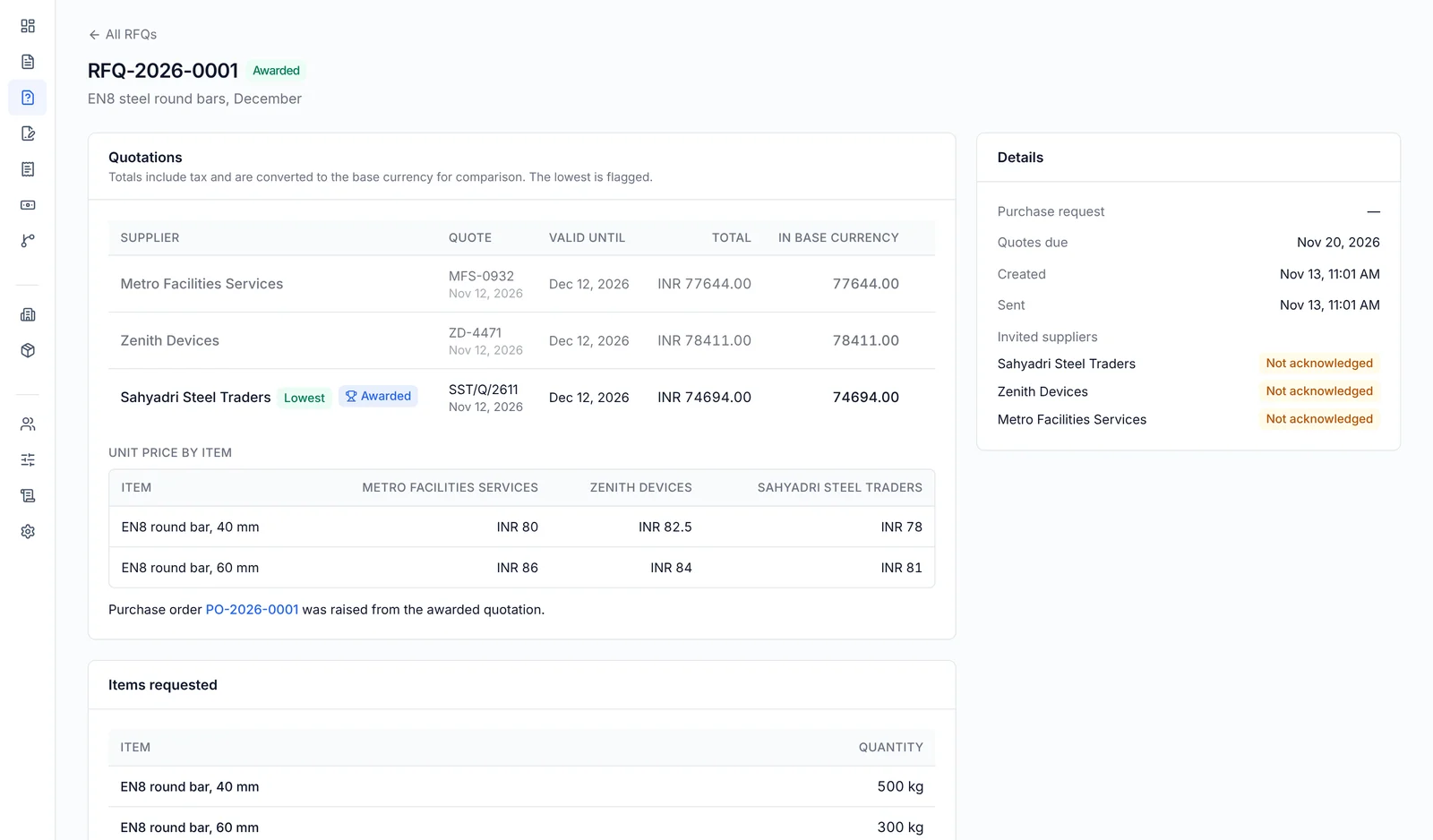
Compare quotes side by side, then raise the PO in one click
Send an RFQ to several suppliers, enter their quotes as they come in, and see them next to each other with the lowest flagged.
- RFQs from scratch or from a purchase request; every supplier gets the item list by email
- Totals converted to your base currency, plus a line-by-line price table
- Awarding one quote declines the others and prefills the PO
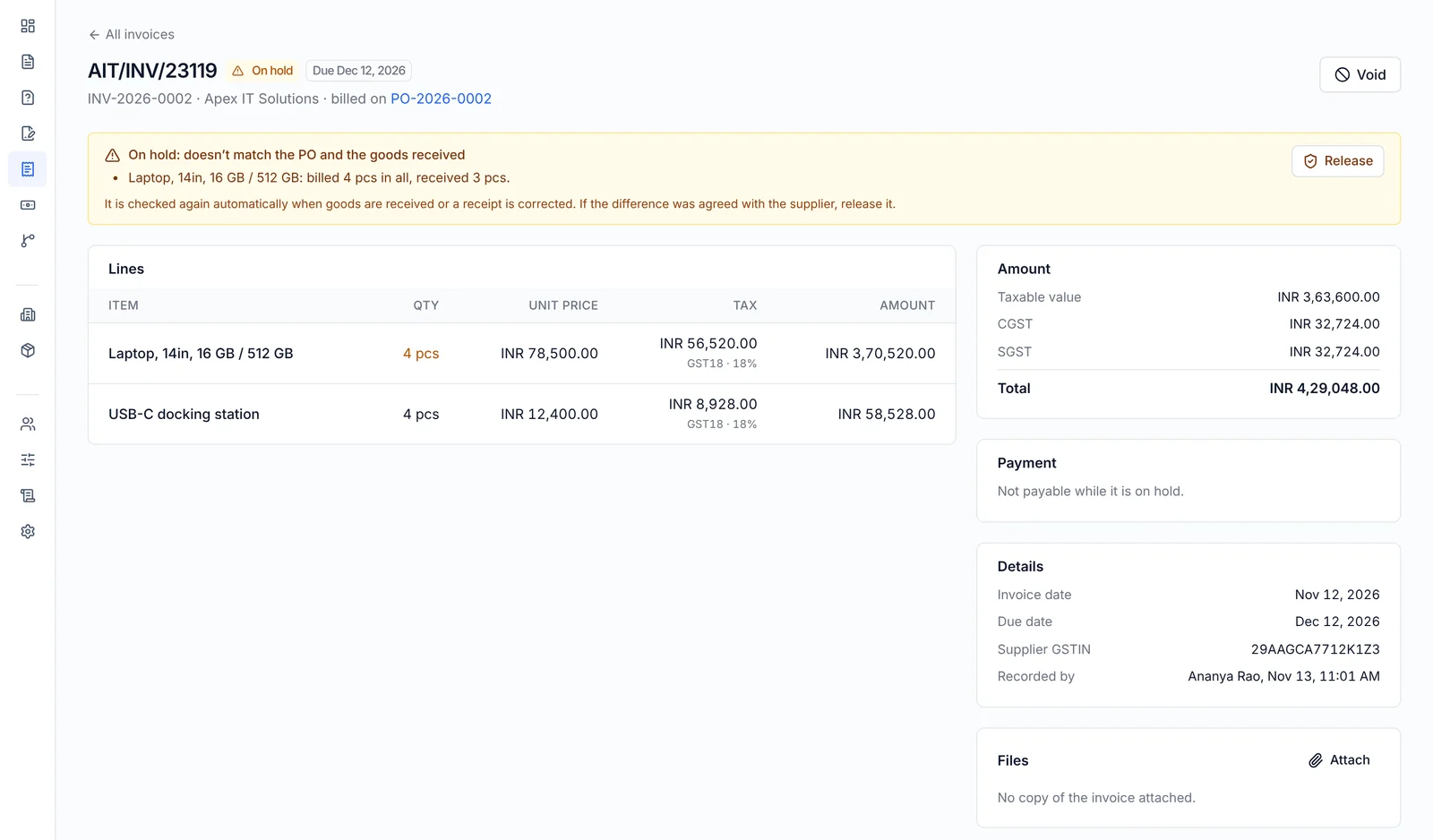
Pay only for what arrived, at the price you agreed
Stores staff record each delivery against the PO. Accounts enter the supplier bill. Tefflow checks one against the other.
- Goods receipts line by line, accepted and rejected with a reason, with the delivery challan and photos
- Invoice lines must add up to the total printed on the bill (round-off allowed)
- Tax worked out the way your country does it, whether GST, VAT or sales tax
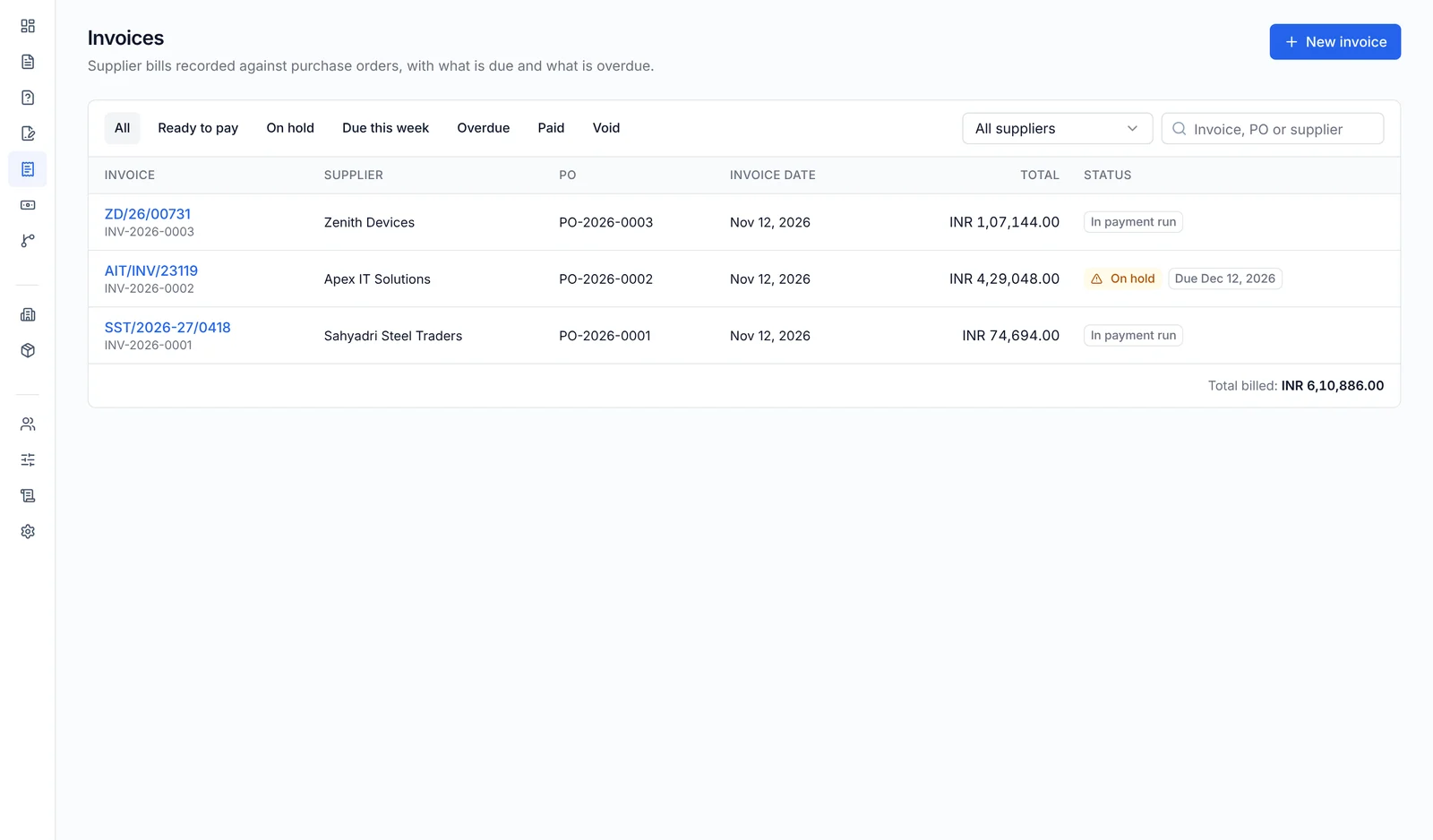
- Price and quantity tolerances set by your admin; anything outside goes on hold
- Mistakes are reversed or voided with a reason, never edited or deleted
From approved bill to bank upload without retyping
Accounts tick ready-to-pay bills and create a payment run. Tefflow produces the files; your bank and accounting system take it from there.
- A bills spreadsheet (CSV) for any accounting system
- Payment and purchase entries ready to import, with tax already posted to the right ledgers
- A bulk-payment file for your bank, built from stored supplier bank details
- Mark the run paid with the bank reference; bills paid by cheque can be marked paid on their own
- An Invoices page with what’s due this week, overdue, ready to pay and on hold
People see what they’re supposed to see
Seven built-in roles: admin, buyer, approver, requester, receiver, accounts and auditor. A person can hold several. Menus and buttons follow their roles, and the server checks every action anyway.
- Requesters see their own requests; approvers see what is waiting for them; people outside a request don’t see it at all
- Receivers see issued POs and record deliveries, nothing else
- Supplier bank details are hidden unless the person may see them, and every view or change is recorded
- Auditors can read everything but change nothing
- The person who creates a PO can’t approve it, and nobody approves their own request
Tamper-evident audit trail
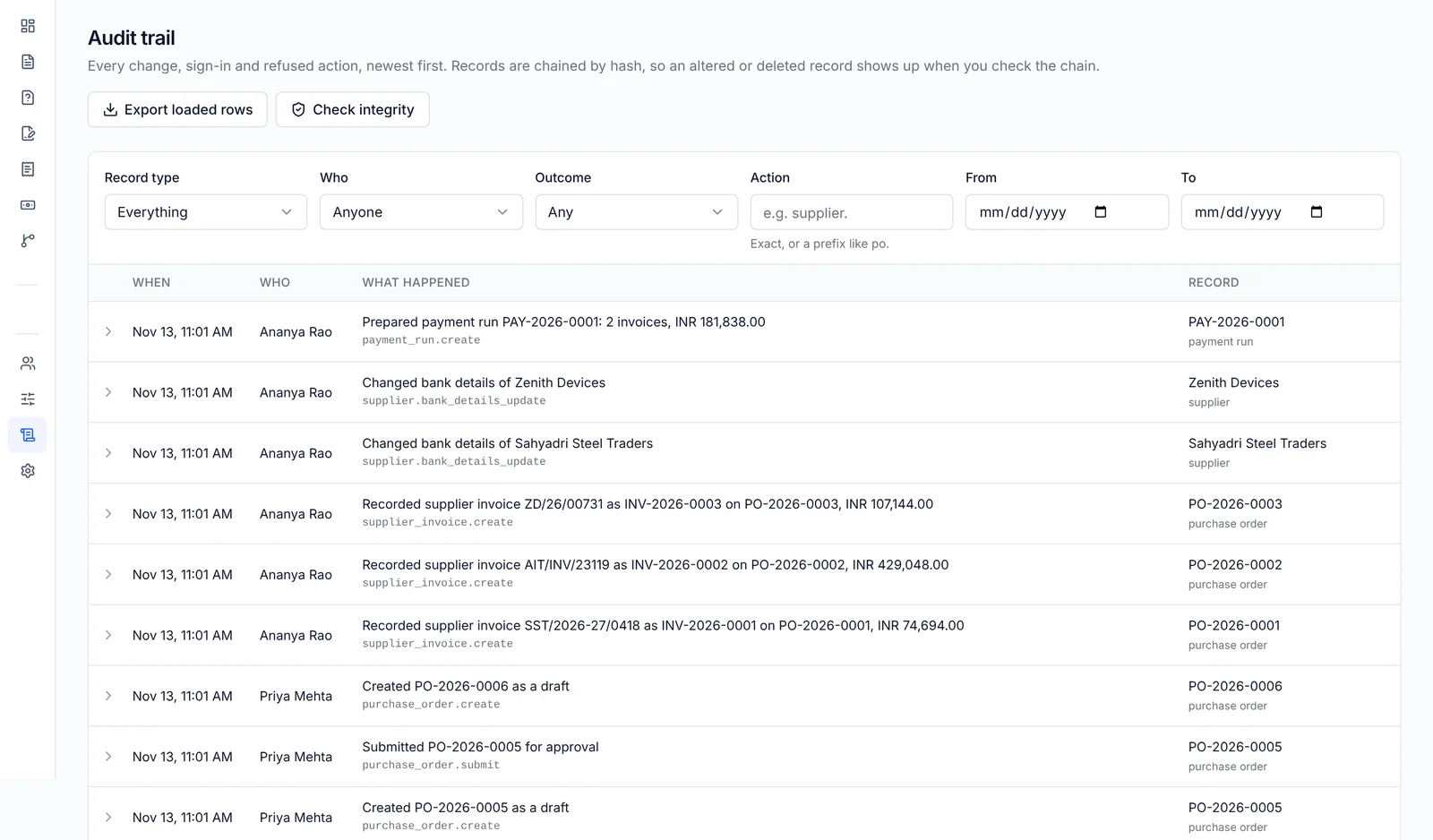
Every action, including refused attempts, with who, what, when and from where. Records can’t be edited or deleted, and each is chained to the last, so tampering shows up in the integrity check. Auditors and admins search, filter and export it to CSV.
Group companies, one sign-in
Run purchasing for each of your group companies with its own suppliers, workflows and settings. People who work across them switch companies in one click.
Delegation on record
Approvers hand their approvals to a colleague for up to 90 days, and approvals made on their behalf say so.
Setup in one place
Catalog, tax codes, currencies, payment terms, cost centres, departments and notifications, managed by admins.
See it with your own approval rules
A 30-minute call. We set up your workflow, your spend limits and a sample PO, then take it all the way to the accounting export.